
Now playing
See the trend
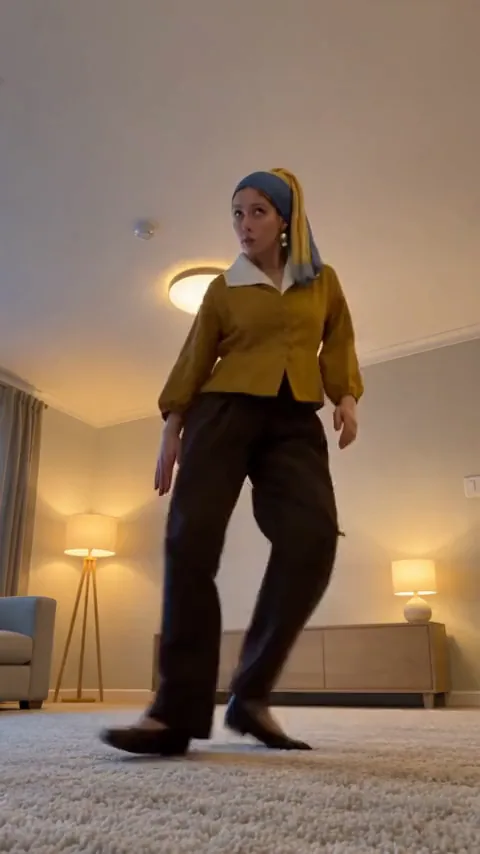
A phone on the carpet, one knee at the lens and a face that never cracks.
Make it yours
Create your Can Can AI video
Add your photo, tell us where to send the video, and you are done. No prompt to write and no account needed.
What you get
Your video
- Story
- Can Can
- Role
- The dancer
- Length
- 15 seconds
- Format
- Vertical 9:16 MP4
- Setting
- A warm living room
- Delivery
- Private email link
- Send to
- Not set yet
- Price
- $6.99 per video, or 70 credits
Your video stays downloadable for 30 days. Photos are deleted within 24 hours after the order is finished. If a video cannot be made, we make it again or you can ask for a refund.
It’s simple
In three steps, your story comes to life.
- 1
Add your photo
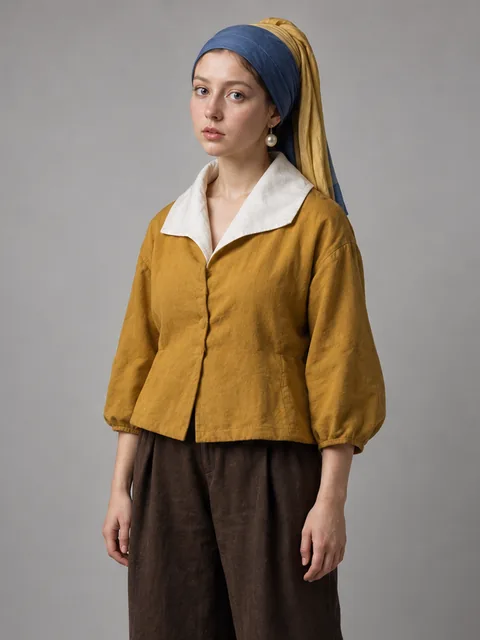
Upload one clear photo of yourself. The room and the dance are already in place.
- 2
Do the dance
You are the dancer. The camera on the carpet and every kick belong to the film.
- 3
Get your private video by email
We create your personalized short video and send a private link to your inbox.
Some stories stay with you
One person, one very fast dance
The dancer
You are the only person on screen, in a blue headscarf with a yellow tail, a pearl earring, an ochre jacket with a wide white collar and loose brown trousers. You launch at the camera, retreat across the room, then kick, hop and shuffle your way back with the most focused expression of your life.
The story in your video
One locked-off phone shot from the carpet of a living room. The dancer starts right at the lens, runs the length of the room and works back toward you without a single cut.
- Scene 1You are mid-air, knee to your chest, almost touching the lens. You push off backward and shrink into the far end of the room, hopping on one foot with your arms flying.
- Scene 2You come back toward the camera with a side kick, a lean and a leap, then plant your feet wide and let them fly: heel, toe, heel, toe, so fast they blur, while your upper body stays calm and your face stays serious.
- Scene 3A sudden jump, a kick to the side and one grin you cannot hold back. Then arms out, big kicks to the ceiling, quick feet again, and a last leap that ends with you still in the air.
Photos that work best
- One adult in the photo, with the face clearly visible and well lit.
- JPEG, PNG, WebP or another common format, up to 25 MB, at least 300 pixels on the short side (512 or more looks sharpest).
- Front or three-quarter view works best. Avoid sunglasses, masks and heavy filters.
- Use a photo of yourself, or of an adult who has agreed to appear in the video.
What is the Can Can AI video?
The Can Can trend is a short, frantic dance clip: one person in a living room, filmed by a phone propped on the floor, throwing high knees, side kicks, heel-and-toe footwork and wild arms at a classical galloping tune, with the focused, slightly out-of-breath face of someone doing something very important. The charm is the contrast. The legs do something ridiculous while the face stays calm, and the low camera makes every kick look enormous. Since the first clip passed tens of millions of views, people have copied the moves in parking lots and bedrooms, and some have handed the dance to their cats and dogs.
The Can Can AI video from FacesToClips is that dance with you in it. You do not need to learn the steps, find a clip to copy or write a prompt. You add one photo, and we create a 15-second vertical film in which you are the one flying at the camera, kicking across the room and landing the last jump.
The film is built like the originals: a single continuous shot from a phone lying on a carpet, tilted up so that the ceiling light and the far wall are in view. The camera never moves. You start so close that you fill the frame, push off to the far end of the room where you become small, and then come back at the camera in a series of kicks, jumps and quick steps. Because the camera is low and fixed, every move reads clearly, and the whole dance happens in one take.
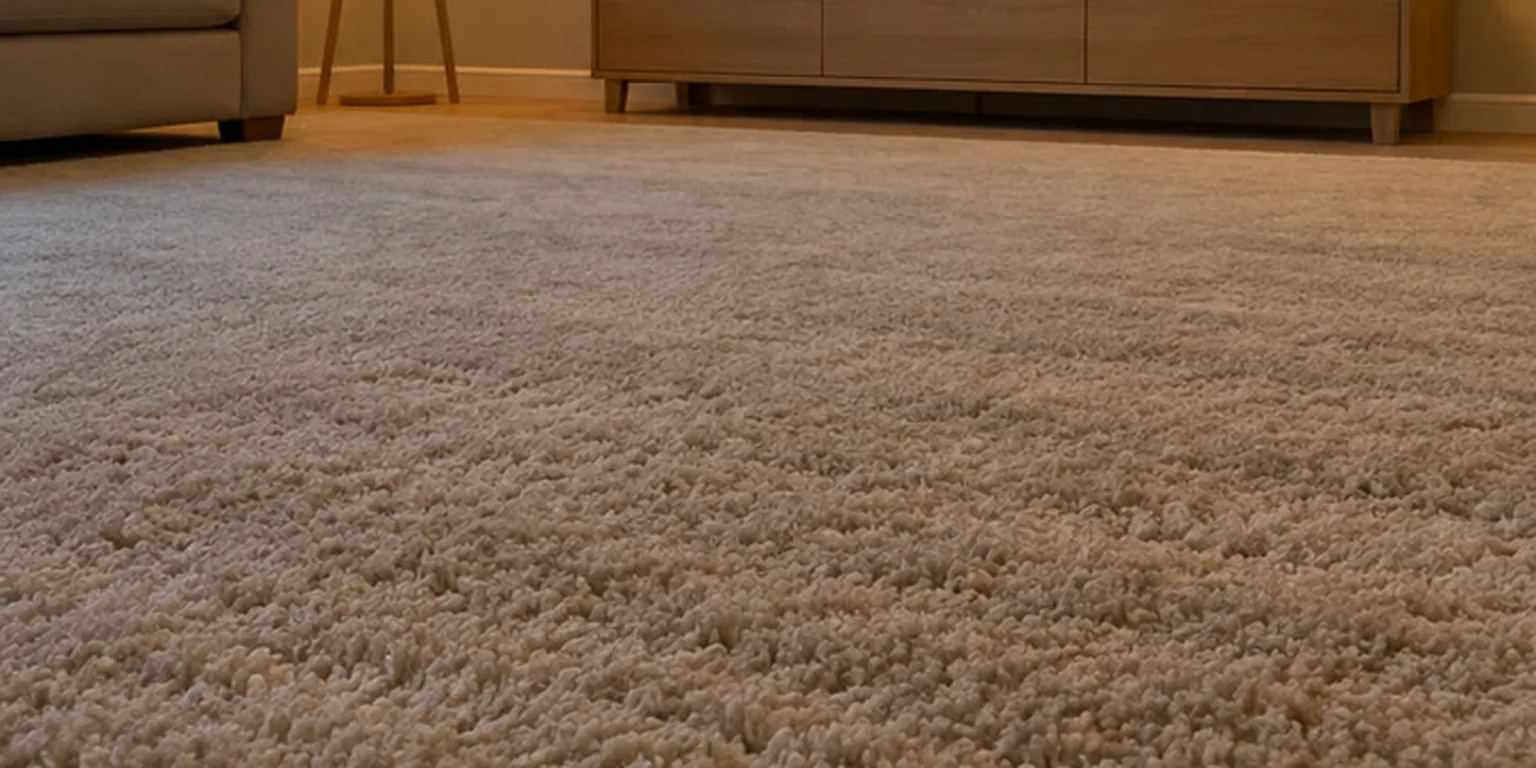
The setting is a warm, quiet living room with a soft beige carpet, a pale wooden sideboard, a floor lamp and a round ceiling light. Nothing in it competes with you, and nothing carries a logo, a poster or any writing. You wear a blue headscarf with a yellow tail, a large pearl earring, a loose ochre jacket with a wide white collar, wide brown trousers and plain brown flat shoes: the look of a famous old portrait, dressed for a high-kick dance. The wide legs and the loose sleeves are part of the fun, because they swing with every kick, and the yellow tail of the scarf flies with you.
Your face comes from your photo; the body, the timing and the movement come from the template. A clear, well-lit portrait where your face is easy to read gives the best likeness, and a front or three-quarter view works better than a dramatic angle. Small differences between your photo and the generated person are normal in AI video, especially in a dance this fast, so choose a photo you are happy to see in motion.
The delivered video is a vertical 9:16 MP4 with the room’s own sound: feet thumping on the carpet, clothes moving and quick breathing. It does not include the tune people pair with this dance. When you post on TikTok or Instagram Reels, you add the sound from the app’s library yourself, line it up from the start and turn the video’s own sound down; your order page and email show exactly what to search for. That way the music you use is the official recording, and your timing is yours to adjust.
This is a personalized generated film, not a recording of any creator and not connected to the people who made the original clips. You can use it as a reply, a greeting, a profile video or just a laugh with friends. The videos collected below show how other creators did the dance, credited to the people who posted them and separate from the film made from your photo.
- Also called
- Can Can dance, Can Can trend, high-kick dance
- Made from
- One photo of one adult
- Length
- 15 seconds
- Format
- Vertical 9:16 MP4 with room sound
- Structure
- One take: lunge, retreat, kicks, fast feet, final leap
- Delivery
- Private link by email
Can Can AI Video Generator: questions and answers
- What is the Can Can trend?
- It is a short comedy dance in which one person films themselves from a phone on the floor and throws high knees, side kicks and lightning heel-and-toe steps to a fast classical tune, all with a perfectly serious face. People remake it with themselves, friends and pets. This version puts you in it from one photo.
- Do I need to write a prompt?
- No. The room, the dance, the camera and the timing are already part of the template. You choose a clear photo and your delivery email. There is no prompt editor, no reference video to find and no settings to learn first.
- Does the video include the music?
- No. Your video comes with the room’s own sound, not the tune. When you post on TikTok or Instagram Reels, search for the sound in the app’s library, add it from the start and turn the video’s own sound down. Your order page shows the exact words to search for.
- How long is it and what format?
- Fifteen seconds, vertical 9:16 MP4: the shape of a phone screen, ready for Reels, TikTok or Shorts. Post it full frame so the whole dance stays in the picture.
- What do I get?
- One fifteen-second vertical MP4 of the person in your photo doing the whole Can Can dance in a warm living room, delivered as a private link by email.
- How many photos do I need?
- One photo showing one adult. The outfit, the room and the dance belong to the template, so nothing else is needed. A front-facing portrait or a clear three-quarter view is the best starting point.
- Can I use a photo of a friend?
- Yes, if that adult has agreed to appear and you have the right to use the photograph. Choose a single-person image with a clear face. This template does not accept children, group photographs or an image of someone who has not agreed.
- What will I wear in the video?
- A blue headscarf with a yellow tail hanging down the back, a pearl earring, a loose ochre jacket with a wide white collar, wide brown trousers and plain brown flat shoes. Your face guides the character; the clothes come from the film rather than your uploaded outfit.
- Do I have to dance or perform anything?
- No. The kicks, the footwork and the final leap all come from the fixed reference sequence. Your photo only decides who is on screen.
- Will the result look exactly like my photo?
- The photo guides an AI-generated character, so small differences are possible, especially while the body is moving fast. A sharp, naturally lit photo with a visible face gives the best resemblance; heavy filters and sunglasses make it harder.
- Do I need an account?
- No. You order using an email address. Check it carefully before confirming, because the private link to your video is sent there. You can follow the order on its page while the film is being made.
- Is this connected to the original creators or the music’s publisher?
- No. FacesToClips is not affiliated with, endorsed by or connected to the creators of the clips that started the trend or to any musician or label. “Can Can” is the name people search for the dance. Your film is a personalized remake generated from your photo.
- Is this a subscription?
- No. You pay for the video shown in the creation area, one order at a time, and the current price appears before checkout. There is no subscription.
- What if generation fails?
- If generation fails, use the options on your order page to continue the order. A refund request is reviewed through the same page when available. The page explains your order’s current status, so you can choose a next step without sending your photograph again.
More in Help, on the pricing page and in the Refund Policy.
More trending AI videos
Zombie AI Video Generator
The zombie AI video trend, told as a love story. One of you has turned, the other cannot let go, and a tense stand-off in a ruined world cuts to a warm memory of the two of you. A 24-second film with sound, made from two photos.
$7.99 per video, or 80 credits.
Hotel Lobby AI Video Generator
The Hotel Lobby AI trend: two people in a bright orange booth, trading verses across one hanging microphone and hyping each other up. A 15-second widescreen duet in five quick shots, made from two photos and ready for the sound you choose.
$6.99 per video, or 70 credits.
Gas Station AI Video Generator
The Gas Station AI video: three friends at a road stop, filming each other on a phone. One dances across an empty lot, one grabs a selfie under the canopy, one leans out of the car and breaks into a laugh. A 20-second vertical film in four shots, made from three photos.
$7.99 per video, or 80 credits.
STORM II AI Video Generator
The STORM II AI video: you, in a white shirt, walk into a silent formation of hundreds in black suits. They burst into dance all at once and you alone stand still. A 30-second widescreen film in one unbroken take, made from a single photo.
$9.99 per video, or 100 credits.
Smalltown Boy AI Video Generator
The Smalltown Boy AI video: one friend silently screams an inch from the lens while the other dances behind without a care, then they trade places, dance side by side and lunge at the camera together. A 21-second vertical film in six shots, made from two photos.
$7.99 per video, or 80 credits.
Burning Bridges AI Video Generator
The Burning Bridges AI video: you host a dinner party in a wood-panelled room under chandeliers, silver cup in hand, playing to a hand-held camera while your guests laugh and toast around you. A 15-second cinema-wide film in one unbroken take, made from a single photo.
$6.99 per video, or 70 credits.
Ozil Goal AI Video Generator
The Ozil Goal AI video: under the floodlights you chip the ball over a diving keeper, calmly let two defenders slide past you and roll it into an empty net while the crowd erupts. A 15-second vertical film in one unbroken take, made from a single photo.
$6.99 per video, or 70 credits.
Bulin 47 AI Video Generator
The Bulin 47 AI video turns one adult photo into a twelve-second vertical street performance. Take the lead at a red-lit doorway, with rhythmic gestures, shoulder movements and a crowd gathered around you.
$6.99 per video, or 70 credits.
ChatGPT Millionaire AI Video Generator
The ChatGPT Millionaire AI video turns one photo into a 13-second vertical clip: you hold up your phone, ask the chatbot how to become a millionaire, read out its "Get a job, bro" reply, argue back and ask again. Works with your cat or dog too.
$6.99 per video, or 70 credits.
Bby Wow AI Video Generator
The Bby Wow AI video trend: the party staffer who steps out of the crowd, bites a small bread roll and stares into the lens before turning away. A nine-second clip made from one photo, vertical or widescreen, with you or your pet in the lead.
$6.99 per video, or 70 credits.
Spooky Scary Skeletons AI Video Generator
The Spooky Scary Skeletons AI video trend: a loose-limbed skeleton dance of side kicks, shoulder shakes and a wide-stance sway. A twelve-second vertical clip made from one full-body photo, in a misty moonlit graveyard.
$6.99 per video, or 70 credits.
Toc Toc AI Video Generator
The Toc Toc AI video puts you in the deadpan one-legged dance everyone is sending around: you hop, knock on an invisible door, kick and finish with an arm thrown out, in a plain white room or any of seven other settings. A 12-second vertical film made from a single photo.
$6.99 per video, or 70 credits.
Window Peeper AI Video Generator
The Window Peeper AI video puts you in the caught-eating clip everyone is sending around: a night shot of a block of flats, one lit window, you in it with a burger, a long stare into the camera and a curtain pulled shut. A 14-second vertical film made from a single photo.
$6.99 per video, or 70 credits.
Your photos stay yours
- Your uploads and your finished video are private. Nothing is published or added to a public gallery.
- Uploaded photos are deleted within 24 hours after your order is finished.
- Your video stays available to download for 30 days.
- If a video cannot be made, we make it again at no extra cost, or you can ask for a refund.
The details are in our Privacy Policy and Help.